


I was about to hire a freelance designer.
I had the budget ready. I had the brief ready. Then a friend sent me a link and said, “Try this first.”
That link was Pomelli AI.
I almost ignored it. I told myself: another AI tool, another one that promises everything and delivers a mediocre Canva knockoff. I have been burned before.
But I opened it anyway. I pasted my website URL. I waited three minutes.
What I saw next stopped me completely.
Fully branded Instagram posts. Facebook banners. A complete LinkedIn campaign. The tool matched my site’s colors, fonts, and tone automatically. I touched no templates. I did no manual setup. I needed zero design skills.
I never hired that freelancer.
If you create content for a business, run social media, or sell anything online, the next ten minutes of reading could genuinely change how you work. I tested Pomelli AI properly, ran real campaigns through it, and pushed it until I found where it breaks. This is my full honest review: what it does, how to use it from scratch, and whether it deserves a place in your workflow.
I Tested Google Flow AI for 7 Days | Here’s My Honest Review 2026
Quick Facts Table
| Detail | Info |
|---|---|
| Tool Name | Pomelli AI |
| Developer | Google Labs + Google DeepMind |
| Launch Date | October 28, 2025 |
| Free Plan | Yes (currently in public beta) |
| Paid Plans | Available for higher quality and faster generation |
| Best For | Small businesses, solopreneurs, content creators |
| Global Availability | 170+ countries |
| Platform | Web at labs.google.com/pomelli |
| Languages Supported | English only (March 2026) |
What Is Pomelli AI and Who Built It
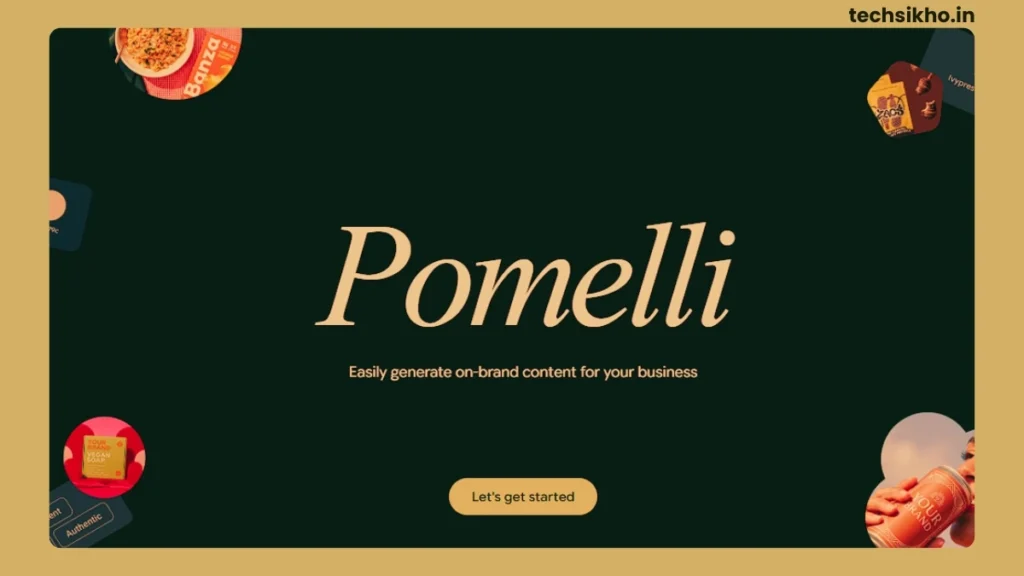
Google Labs built Pomelli AI and launched it on October 28, 2025, in partnership with Google DeepMind. Daniel Adonai from Google Labs and Bea Alessio from DeepMind led the project together.
The product targets a very specific pain point: small businesses and solo creators need professional marketing content, but most of them cannot afford a designer, an agency, or even a decent stock photo subscription.
Pomelli sits directly in that gap.
But here is what separates it from every other tool in this space. Most AI design tools hand you a blank template and ask you to fill it in. Pomelli does the opposite. It scans your existing website, extracts your visual identity automatically, and uses that as the foundation for everything it generates.
Google calls this feature Business DNA.
I have tested a lot of AI tools that claim to “learn your brand.” Most of them produce something that vaguely resembles your brand if you squint. Pomelli’s output actually felt like it belonged to the same visual family as the site I tested it on. That surprised me more than anything else about this tool.
How Pomelli AI Actually Works
The workflow runs in three steps, and that simplicity is intentional.
Step 1: Brand Extraction
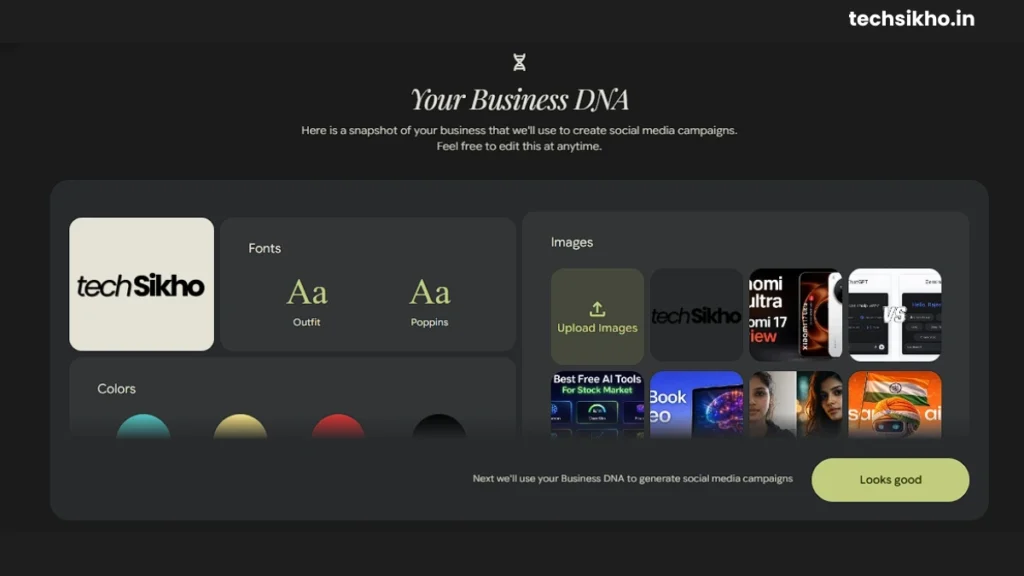
You paste your website URL and Pomelli crawls your pages. It builds a Business DNA profile from your color palette, typography, image style, and brand voice. The scan takes two to three minutes.
In my testing, it picked up details I had not explicitly defined anywhere: secondary accent colors, image framing preferences, and the casual-but-professional tone of existing copy. I did not expect that level of nuance from an automated scan. Most tools miss half of this even when you tell them manually.
Step 2: Campaign Brief
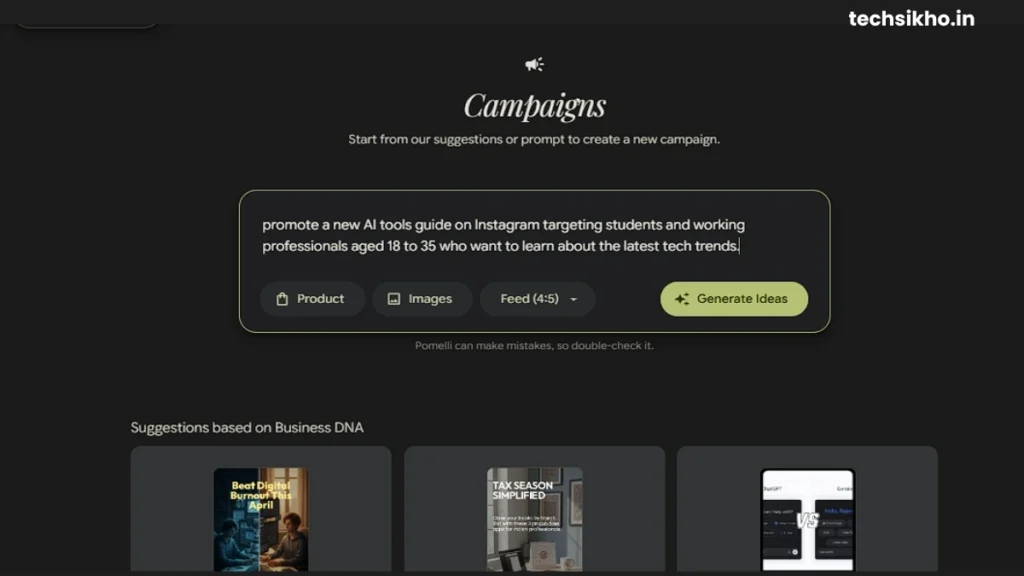
You describe what you want to create. A product launch. A seasonal sale. A LinkedIn series. The more specific your brief, the better the output. I tested both approaches deliberately. Vague prompts like “create social posts” produced generic, forgettable results. Specific prompts like “announce a summer sale targeting young professionals on Instagram” produced assets I could publish immediately.
Step 3: Generate, Edit, Download
Pomelli generates platform-formatted creatives across Instagram, Facebook, LinkedIn, and YouTube in one session. You refine them inside the built-in editor, then download and post through your own channels.
My fastest run: nine minutes from a cold URL entry to a full set of downloadable social assets. The same set in Canva took me forty-five minutes with a template as a head start.
8 Best AI Tools for Coding in 2026 | Beginner to Pro Guide
Key Features That Actually Matter
Business DNA Builder
Every other design tool starts you at zero. You pick colors. You upload fonts. You define your style. You spend twenty minutes doing setup before you touch a single piece of content.
Pomelli starts you at your brand. The tool reads your website and builds from what already exists. Every asset it generates is already on-brand before you open the editor. You refine rather than rebuild.
One honest caveat: Pomelli reads what your website gives it. I tested it on a site with mixed fonts and inconsistent colors. The Business DNA it produced reflected that inconsistency. Clean up your website first and the tool rewards you for it.
Multi-Platform Content Generation
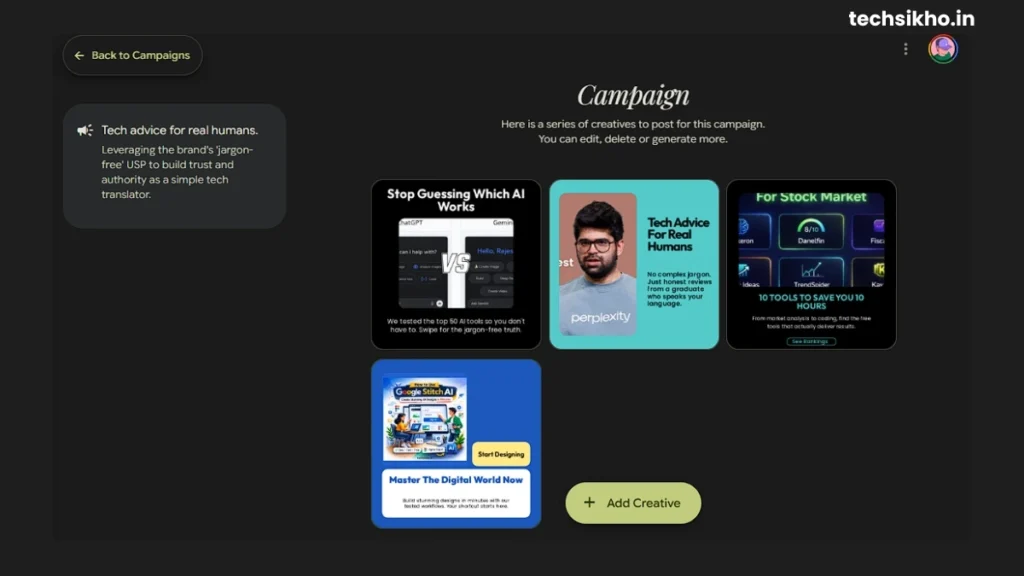
One campaign brief generates assets sized for every major platform simultaneously. I got eight to ten variations across Instagram, Facebook, LinkedIn, and YouTube formats in under sixty seconds. If you manage content across multiple channels, this alone cuts your production time significantly.
Animate
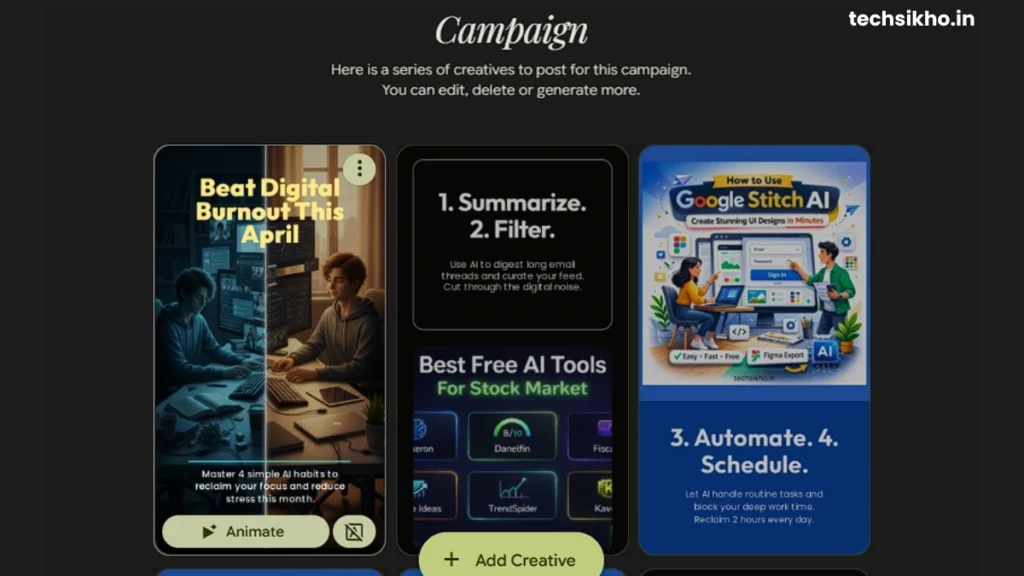
Google DeepMind’s Veo 3.1 model powers this feature. Animate adds motion to static creatives and turns still images into short animated clips for Reels, Stories, and ads. It launched in January 2026 and I found it impressive for simple motion effects. Complex scenes produced inconsistent results. I would use it for organic social content, but I would not rely on it for paid ad creative just yet.
Photoshoot
I uploaded a basic T-shirt photo to test it. Nothing fancy: flat lay, average lighting, plain background. The kind of photo most small clothing brands actually work with.
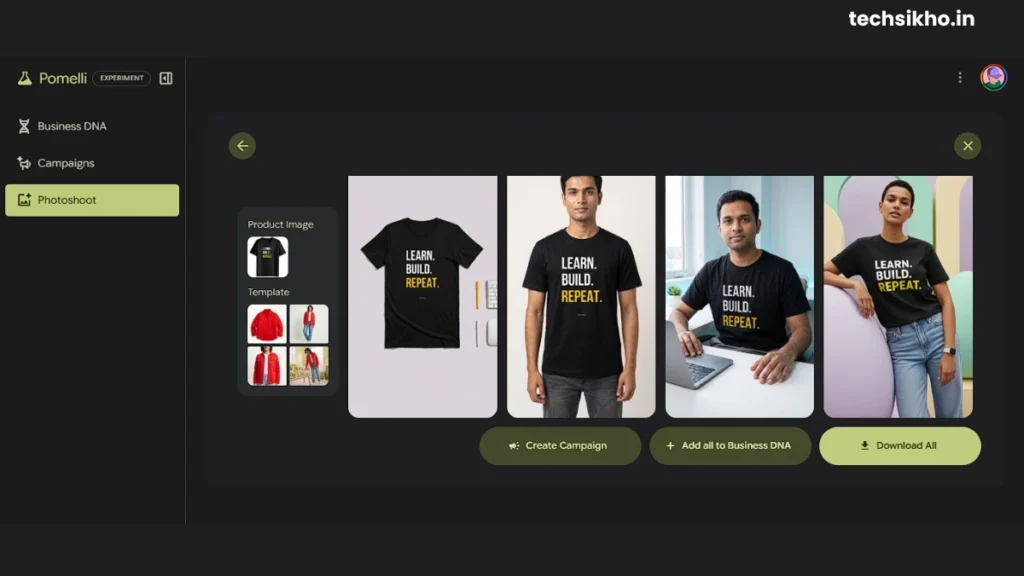
What Pomelli gave back was something else entirely. The same T-shirt appeared on a styled model, then on a clean white studio background, then in a lifestyle setting that looked like it came from a proper fashion shoot. Three completely different compositions from one mediocre phone photo.
I honestly sat there for a moment just staring at the output.
A professional clothing photographer charges thousands for a full product shoot. Brands spend that money just to get their products looking presentable online. Pomelli produced the same quality output in under two minutes for free.
If you run a clothing brand, a print-on-demand store, or sell any apparel online, this single feature justifies creating an account today. Everything else Pomelli does is a bonus on top of this.
Built-In Editor
The editor handles quick adjustments cleanly: copy swaps, layout changes, color tweaks. It is not Figma. It is not Canva Pro. But in my testing, 80% of the edits I needed after generation were quick fixes that the editor handled without friction. For deeper customization, you export and finish in your tool of choice.
How to Use Pomelli AI: Step-by-Step Guide
Here is exactly how I would walk a complete beginner through this:
Step 1: Open labs.google.com/pomelli: You need a Google account to sign in. If you use Gmail, you already have everything you need.
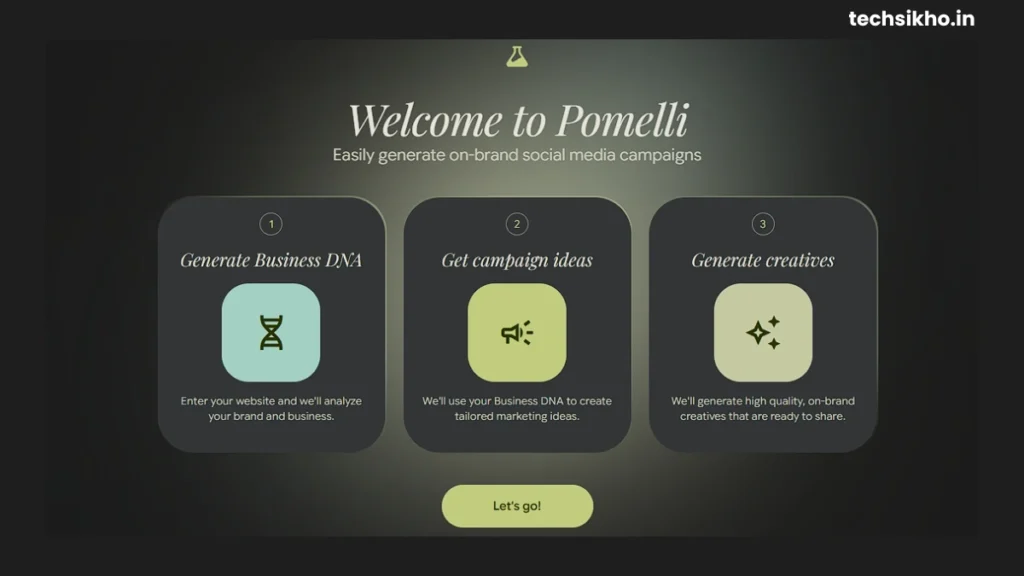
Step 2: Paste Your Website URL: Before you do this, spend five minutes checking that your site reflects your current branding. The Business DNA quality depends entirely on what Pomelli ai finds on your pages.
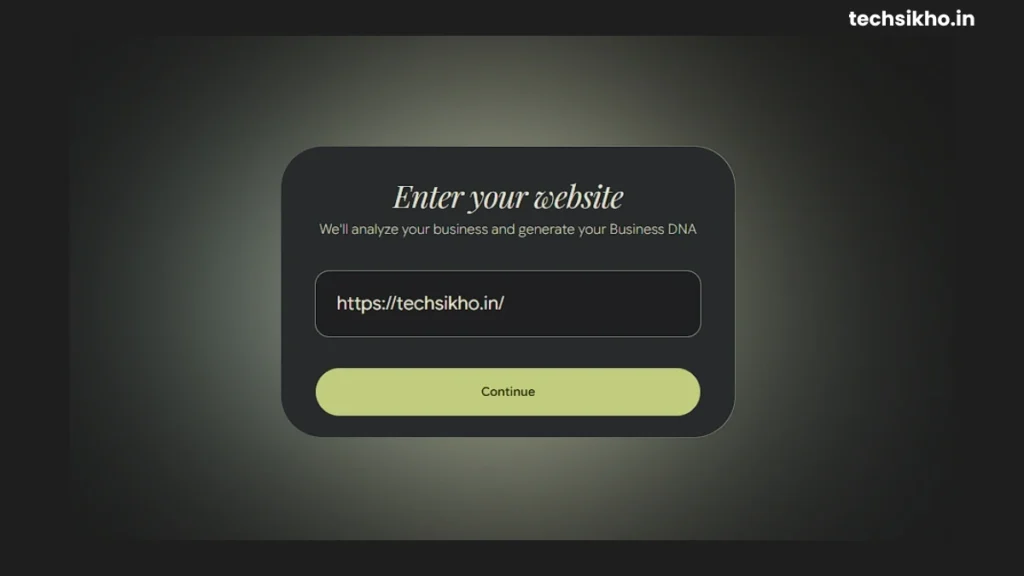
Step 3: Review Your Business DNA Profile: Pomelli shows you the extracted profile after scanning. Go through it carefully. Check the colors, the font detection, and the tone of voice summary. I always refine this before moving forward. Fixing the profile once saves you from fixing every piece of content it generates afterward.
Step 4: Write a Specific Campaign Brief: Be specific. When I ran TechSikho.in through Pomelli, I did not just type “create tech blog posts.” I wrote something like “promote a new AI tools guide on Instagram targeting students and working professionals aged 18 to 35 who want to learn about the latest tech trends.” The output I got back was sharper, more focused, and actually felt like something a TechSikho reader would stop scrolling for. The more clearly you describe your audience and goal, the less editing you do afterward.
Step 5: Generate Your Assets: Hit generate and wait 30 to 90 seconds. Pomelli shows multiple variations for each format. In my experience, the second or third variation is usually stronger than the first. Scroll through before you settle.
Step 6: Edit, Download, Publish: Make quick edits inside the built-in editor, download the formats you need, and post through your usual scheduler or directly to your channels.
One thing I wish I had known on day one: spend twenty minutes properly setting up your Business DNA profile before you run your first real campaign. Add tone preferences, describe your audience, and note what your brand should never say. That one-time setup makes every campaign you run after it noticeably cleaner.
Pomelli AI Pricing: Is Pomelli Free To Use?
Pomelli is in public beta and completely free right now. No credit card. No trial period. No hidden signup wall.
The free plan gives you access to every core feature: Business DNA, campaign generation, Animate, and Photoshoot. A monthly soft cap limits how many assets you can generate before speeds slow down. In my testing, I hit that cap only after a heavy week of deliberate stress testing. A normal content workflow will not touch it.
For a solo creator or small business owner evaluating whether Pomelli fits their process, the free tier gives you everything you need to find out.
Pomelli AI vs Canva vs Adobe Express
| Feature | Pomelli AI | Canva | Adobe Express |
|---|---|---|---|
| Auto brand learning from URL | Yes | No | No |
| Free plan | Yes (beta) | Yes (limited) | Yes (limited) |
| AI campaign generation | Yes | Limited | Limited |
| Direct social publishing | No | Yes | Yes |
| Video and animation | Yes (Veo 3.1) | Yes | Yes |
| Product photography | Yes | No | No |
| Paid tier starting price | Not yet public | ~$15/month | ~$10/month |
After testing all 3 tools back to back, here is my honest read on each one.
Pomelli wins on brand consistency and speed of first draft. No other tool at this price generates on-brand content automatically from a URL. Canva wins on workflow completeness, especially if you need scheduling and publishing inside one platform. Jasper wins if your primary need is long-form copywriting and content marketing. Adobe Express wins if you already live inside the Adobe ecosystem.
No single tool dominates every category. But if automatic brand-matched creative generation is your priority, Pomelli is the only one doing it at this level and right now it does it for free.
Who Should Use Pomelli AI (And Who Should Skip It)
Use Pomelli AI if you:
- Create social content for a business without a dedicated design team
- Need branded visuals faster than any manual design workflow allows
- Sell physical products and want studio-quality images without a photography budget
- Manage content for multiple clients and need fast on-brand first drafts
- Want to use a genuinely useful free tool before Google eventually puts it behind a paywall
Skip Pomelli AI if you:
- Need to publish and schedule content inside one platform, pair it with Buffer or Later instead
- Create content in a language other than English
- Need pixel-level design control, Figma serves that need better
- Focus primarily on long-form written content, a dedicated AI writing tool will serve you better
- Work in a regulated industry where all copy requires intensive legal review
Frequently Asked Questions (FAQ)
Is Pomelli AI free to use?
Yes. Pomelli AI is in public beta and free to access with a Google account. Paid plans exist for higher-quality exports and faster generation, but every core feature is available at no cost right now.
What countries can access Pomelli AI?
In 2026, Pomelli is available in 170+ countries after expanding from its initial four-country launch.
What is Business DNA in Pomelli AI?
Business DNA is the brand profile Pomelli builds by scanning your website. It extracts your color palette, fonts, image style, and brand voice automatically with no manual uploads needed.
How long does Pomelli AI take to generate content?
Most campaign asset sets generate within 30 to 90 seconds. During high-traffic periods, generation may take slightly longer.
Final Verdict: Is Pomelli AI Worth Your Time
I came into this review expecting another overhyped Google experiment. I came out genuinely impressed.
Automatic brand extraction from a URL is not a gimmick here. It actually works, and it cuts the creative workflow down in a way I did not fully appreciate until I ran the same campaign through Canva side by side. Nine minutes versus forty-five minutes is not a small difference. That is time you get back every single week.
The Photoshoot feature surprised me the most. I tested it with a mediocre phone photo and got back something that looked professionally shot. For any product-based business without a photography budget, that feature alone makes Pomelli worth trying.
The gaps are real. No direct publishing, English only, and an asset cap on the free tier all create friction. But these feel like beta limitations, not permanent design choices. Google has the AI infrastructure to fix all three.
Have you used Pomelli AI yet? Tell me what you thought in the comments.
Disclaimer:
This article is based on my personal testing and research of Pomelli AI at the time of writing. I am not affiliated with Google, Google Labs, or Google DeepMind in any way. This is an independent, unsponsored review. All pricing, features, and availability details mentioned in this article are accurate as of March 2026 but may change without notice. Always verify the latest information directly on the official Pomelli AI website at labs.google.com/pomelli before making any decisions.

Thanks for sharing your honest experience with Pomelli AI — it’s refreshing to see a real-world test like this. The idea of getting fully branded content in minutes without any design skills is a game-changer for small businesses or solopreneurs who are resource-constrained. Your breakdown of how it actually worked (and where it might fall short) adds a lot of value to the conversation.